
Appearance
Gift card recipients
On a gift card product, a buyer can send the card straight to someone else instead of receiving it themselves. The fields appear on the product page with no setup on your side.
There is nothing to configure. The recipient form renders automatically on any product that is a gift card. It doesn't appear on regular products.
The buyer's flow
- On the gift card product, the buyer ticks I want to send this as a gift. The fields stay hidden until then.
- They fill in Recipient email. This is the only required field.
- Optionally they add Recipient name (optional), a Message (optional) up to 200 characters, and a Send on (optional) date.
- They add to cart and check out as normal.
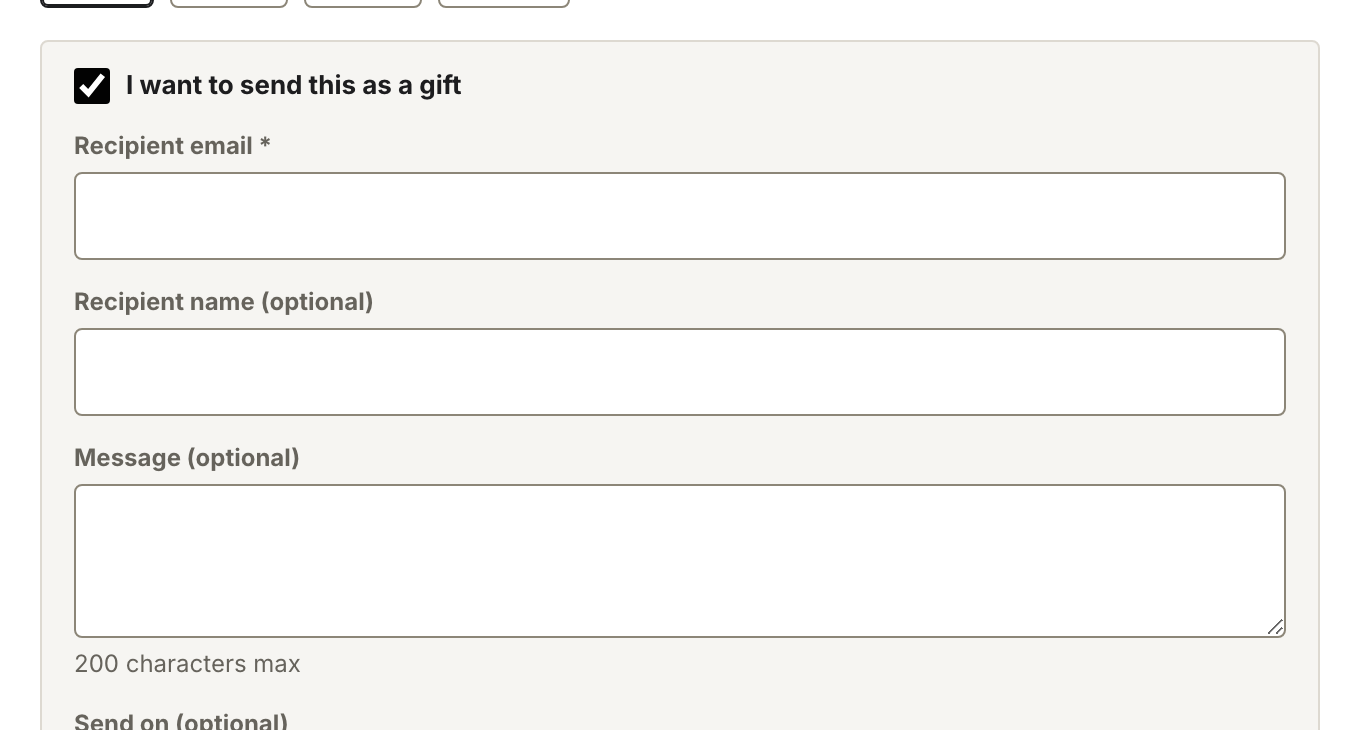
The recipient form on a gift card product.
When the card arrives
With no send date, Shopify emails the card to the recipient once the order is paid. With a send date, it schedules delivery for that day. The date picker accepts dates up to 90 days out.
Note
Gift cards are excluded from discount codes at checkout. A code that would apply to other products won't reduce a gift card's value.