
Appearance
Product cards
Every product in a grid renders as a card: image, title, price, and a set of B2B details you control. One settings group governs cards everywhere they appear — collections, search results, featured collections, and recommendations.
Open Theme settings → Product cards to change any of the following.
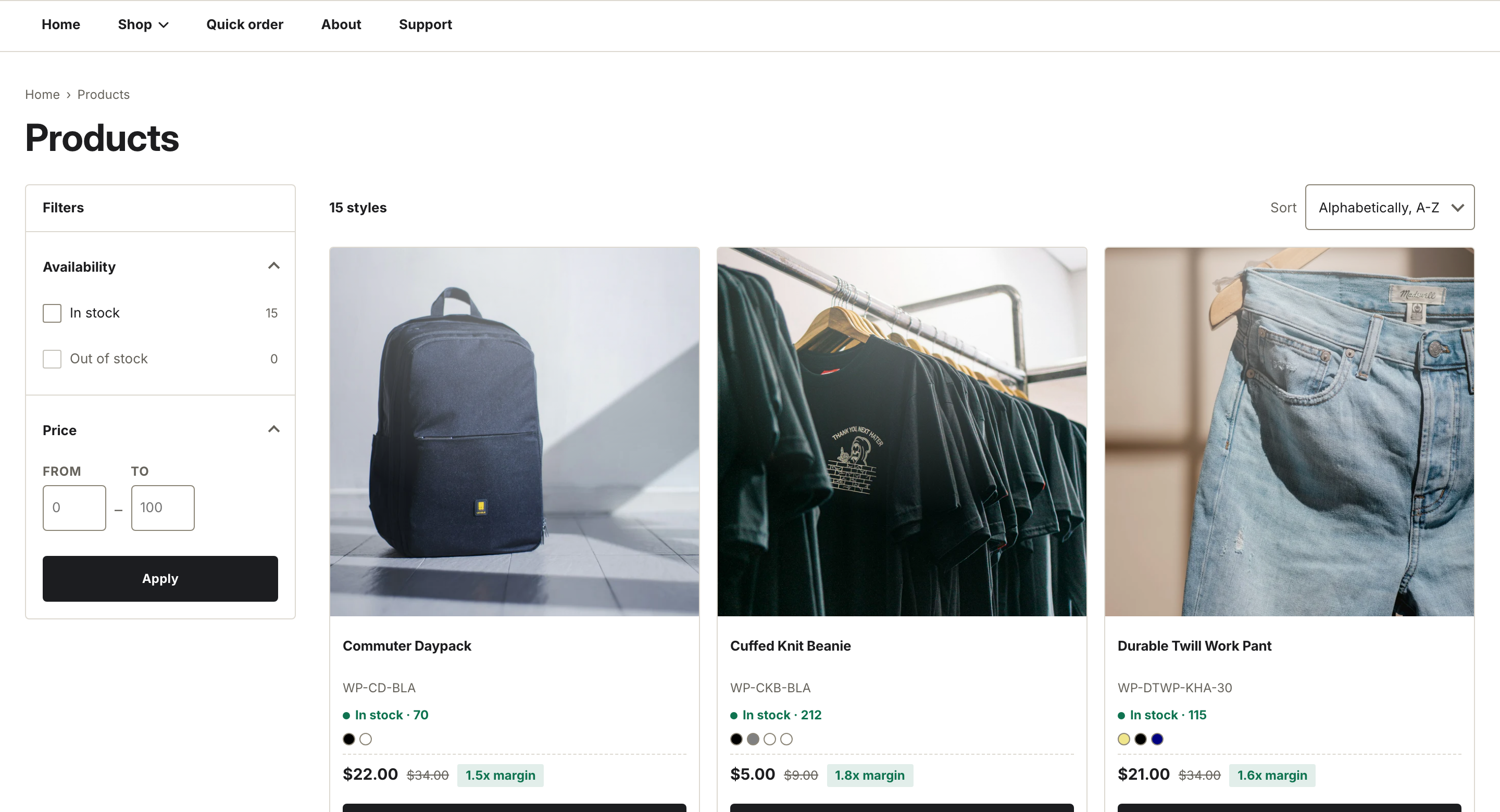
Cards with SKU, stock status, swatches, and MSRP and margin all turned on.
What each card can show
- Image ratio — Square, Portrait, or Landscape. See Image ratios and cropping.
- Show vendor — the vendor name above the title. Off by default.
- Show SKU — the selected variant's SKU under the title. On by default.
- Show color swatches — dots for the product's Color option, up to five, then a "+N" count.
- Show MSRP and margin — see below.
- Show stock status — an inventory line, described below.
- Show quick add — the add control, described below.
MSRP and margin
With Show MSRP and margin on, a card whose compare-at price is higher than its selling price shows the compare-at price struck through, next to a margin chip. Cards with no compare-at price show only the selling price. The compare-at price is the field labeled "Compare-at price" on the variant in your Shopify admin.
Stock status
When Show stock status is on and inventory is tracked, the card reads In stock with a count, drops to a low-stock line under 50 units, and reads Backordered at zero. Products with tracking off show In stock with no number. A sold-out product reads Sold out.
Quick add
With Show quick add on, a single-variant product gets a quantity stepper and an Add button right on the card. Products with more than one variant show a Choose options link to the product page instead. A sold-out product shows a disabled button so cards keep the same height across the grid.
Badges
Badges are a separate block of settings under the Badges header.
- Turn on Show badges. It is off by default.
- Set Sale badge style to Percent off or Sale label.
- Set Swatch shape to Round or Square, and toggle Show second image on hover.
Show badges controls the sale and sold-out corner badges. A sale badge shows either the percentage off or a "Sale" label, depending on Sale badge style. A sold-out badge takes priority over a sale badge on the same card.
Note
With login-gated pricing on, cards hide the price and quick add for signed-out visitors and show a Sign in for pricing link instead. See Login-gated wholesale pricing.